|
Now,
we take it one after another. First, I had very large clouds generated
in high altitude. In order to make the clouds formations look
as complex and varietyful as we can, you need to put the clouds
real high. It seems to me, that the resolution of the clouds is
somewhat limited. This "may" be the cause for the fact,
that you can oly choose a sky size up tp 10000m, for the clouds
mask would otherwise be streched too much. But this is just a
suggestion.
Quite
a portion of persistence is also required for complex structures.
With clouds at such height, you can put the persistence slider
up even further.
The
density of the clouds is not as it meets the eye at first sight.
The darkening of the clouds is controlled mainly by three things.
Darkeing, Contrast and Shift. In this case, density shift is quite
high, so in the cloud preview you can spot some pretty dense parts
of the clouds. It is importance to find a good working balance
with these, depending on the scene and above all depended on the
position of the sun itself. In this picture, the sun stands directly
in front of us. Although you cannot tell, because the disc size
is set to zero.
Settings
for multi directional shadow lighting in the sun dialog also account
for the darkening of clouds.
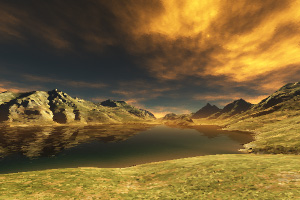
Now
for the golden glow. Obviously, it is not the sunlight or decay
on their own, which produce the effect. The clouds themselves
are simply colored in ocre yellow. The brightness of the sunlight
lightens the color at less dense locations respectively.
This
alone would still not produce the effect in a perfect manner.
In the "lighting of atmosphere" dialog, the settings
for glow amount and glow power greatly help when set correctly
- in absolut numbers and relativ to each other. Standard values
for these are both 100%. Remind yourself, that both setting make
haze and clouds glare near the sun. As we are looking into the
direction of the sun, the effect works,
I
figured out, that for the right glow of the clouds, glow amount
and glow power should be in 2/3 ratio!
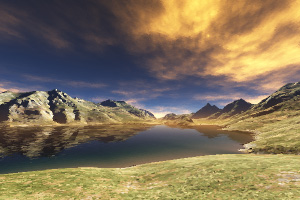
Now
to the darker parts of the clouds. Real dark clouds are seldom
black. In most cases dark clouds are darkblue-grey. Anyhow, there
is some blue in them. There are three things in Terragen which
color clouds blue. The settings for shadow colors, atmospheric
blue an - something else (be patient for one moment). We also
know, that atmospheric blue limits the ability to look very far,
which in this case was undesired. So this setting is reduced to
10%. Unfortunately, the contrast between the golden clouds and
the dark (blue shaded) cloud would have been bad, too unreal.
The
solution lies in the settings for the light decay. The sky is
very high, so the atmosphere is hardly touching the clouds here.
Increasing the half height of the decay to about 4000m brings
the solution. the clouds will be darkened more and the contrast
will be matched better.:
The
settings in the sunlight tab and with the lighting conditions
are mostly as with Force Majeur - except from the coloring of
the shadows. Which is simple to understand, since we need strong
sunlight to bring out enough of the clouds structures and the
multi directional shadow lighting, because I need to control the
coloring of shadow on my own.
Left
to discuss is the sun appearance tab. Then sun itself shouldn't
be visible at all. If you want real majestic clouds, you don't
want to have the sun shine through, otherwise it wouldn't look
wrong and flat and less convincing.
That's
it for this picture. Maybe as a last comment: Terragen isn't doing
a perfet job here. If you'd watch the real sun at dawn, the clouds
would have that golden glow on their own. Noone would be responsile
for going up and painting them ocre :-) To some respect, mother
nature is still unbeaten.
|