In
order to make this tutorial more efficient for you, I have asked
people who have won various 1st places at Terragen
Contests, to share with us examples from their winning pictures.
The many parameters we are able to control in Terragen are difficult
to cope with on their own, but it gets even more complex when
you need to have these parameters playing in concert to better
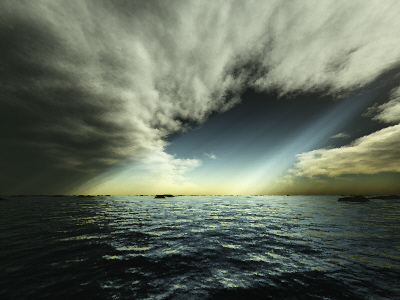
support your scenery. Let’s start with “Force Majeure”
from Peter Kleiner, a giftet TG Artist. This was his
winning picture:
Click on the image to see the original at Peter Kleiner’s
site.
I
was petrified when I first saw this. So I asked Peter how he
did this. Rather than sending over the worldfile, he provided
me with the complete settings he used, and I’m gonna share these
with you in a moment. Many artists do not want others to exactly
copy their artwork and after all claim it as their own. So in
this case, we only have the settings to discuss, but I promise
that most instantaneously you will get similar result once you
set the parameters. Here we go:
As
for the clouds dialog box:
| Sky
size |
10000 |
| Altitude |
350 |
| 3D |
checked |
| Depth/Thickness |
8 |
| Cloud
color |
56,
62, 56 |
| Darkening |
55% |
| Density
Contrast |
30 |
| Density
Shift |
41 |
| Persistence |
50 |
| Largest
Cloud Size |
2nd
largest setting |
As
for the Atmosphere dialog box:
| Haze |
55%,
803m |
| Atmospheric
Blue |
20%,
2048 |
| Color
of Atmospheric Blue |
104,
169, 256 |
| Decay |
33%,
1305m |
| Decay
Color |
218,
171, 71 |
As
for the Lighting Conditions:
| Terrain
Casts Shadows |
checked |
| Clouds
Cast Shadows |
checked |
| Shadows
in Atmosphere |
checked |
| |
|
| Direct
Sunlight Tab: |
|
| sunlight Strengh |
650% |
| Effect
of Atmosphere |
100% |
| Realistic
Sunlight P. System |
checked |
| |
|
| Background
Light Tab: |
|
| Multi-directional
Shadow Lighting |
checked |
| Shadow
Lightness |
14.44 |
| Diffuse Sunlight |
55,
56, 44 |
| Light
from Above |
62, 72, 56 |
| Reverse
Light |
32,
32, 24 |
| |
|
| Sun’s
Appearance Tab |
unchanged |
| |
|
| Lighting
of Atmosphere Tab |
|
| Glow
Amount |
56% |
| Glow
Power |
14% |
So,
have you put it in? Go generate clouds until you find a good
position and you’ll be very satisfied with your results. And
you will want to have a nice terrain supporting your new creation.
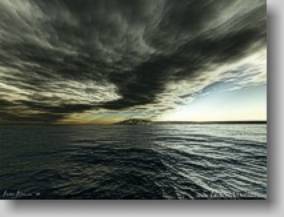
The following picture is a quickshot with the new ‘Force Majeur’
settings: